What if your biggest scaling bottleneck isn’t your marketing budget, but your browser fingerprint? For many digital agencies, a single team member logging in from the wrong IP can instantly incinerate 15 high-value accounts in under 30 seconds. Effective team browser management isn’t just a technical luxury. It’s the essential foundation for any operation that refuses to let platform bans dictate their growth strategy.
You already know that sharing login credentials over chat apps or reusing session cookies is a massive security risk. It’s exhausting to track which assistant is responsible for which account, especially when one small mistake triggers a chain reaction of suspensions. You need a system that offers both precision and peace of mind. We believe that professional growth requires professional tools that provide emotional security through technical excellence.
This article teaches you how to delegate browser profiles securely and manage team permissions without the risk of session overlap. We’ll show you how to build a scalable workflow for 100+ profiles using a centralized dashboard. You’ll learn to maintain perfect fingerprint consistency across your entire team, ensuring your accounts remain untouchable as you scale your operations.
Key Takeaways
- Understand why standard browsers fall short for professional teams and how team browser management creates the foundation for sustainable growth.
- Implement a robust architecture that ensures fingerprint consistency across your entire team through advanced cloud-based profile syncing.
- Protect your operations from the “human error” factor by eliminating session overlaps and data leaks that compromise account safety.
- Establish a secure delegation system using Role-Based Access Control (RBAC) to scale your team without sacrificing network integrity.
- Simplify complex technical processes with professional tools that allow your staff to focus on results rather than fingerprint management.
Beyond Collaboration Apps: What is Team Browser Management?
Collaboration usually brings to mind tools like Slack or Trello, but for high-stakes digital operations, those apps don’t solve the core problem of identity. When a team manages 15 or more distinct social media or merchant accounts, the standard web browser becomes a primary point of failure. Modern platforms track more than just your IP; they monitor hardware signatures, font lists, and canvas fingerprints. If 12 different employees log into the same sensitive account from 12 different devices, the platform’s security algorithms will flag this as a breach. This is where team browser management becomes essential.
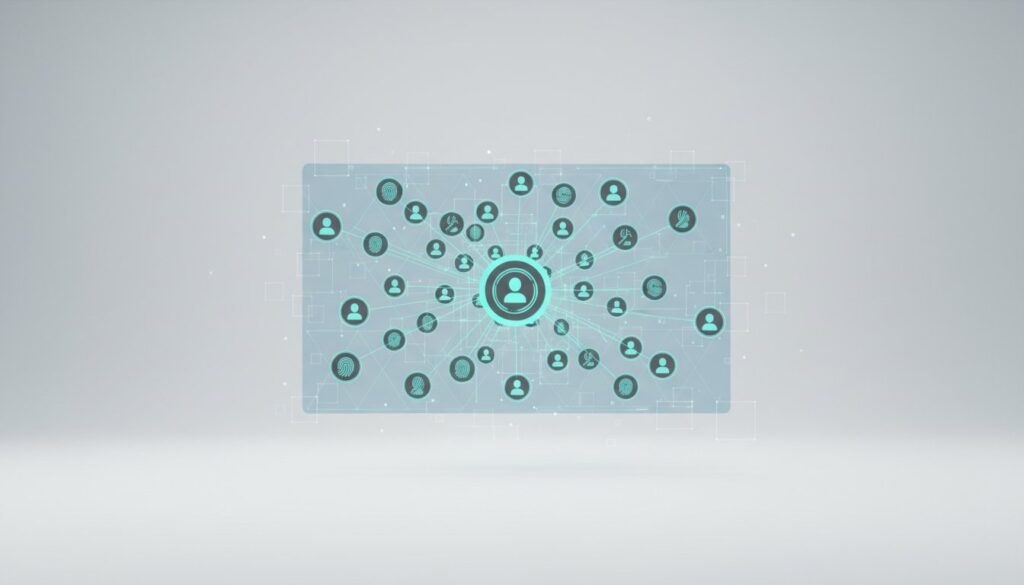
It’s a centralized system that allows a manager to create, distribute, and monitor isolated browser profiles. Unlike a standard browser where data is localized, these profiles exist in a controlled cloud environment. There’s a massive difference between sharing a login and sharing a browser environment. Sharing a login just gives someone the password. Sharing an environment gives them the exact cookies, session history, and hardware fingerprint of the original creator. This consistency is what keeps accounts alive. It prevents the “Ban-Hammer” from hitting your entire operation. If one account faces a challenge, the others remain isolated and protected within their own digital silos.
The Evolution of Multi-Accounting Workflows
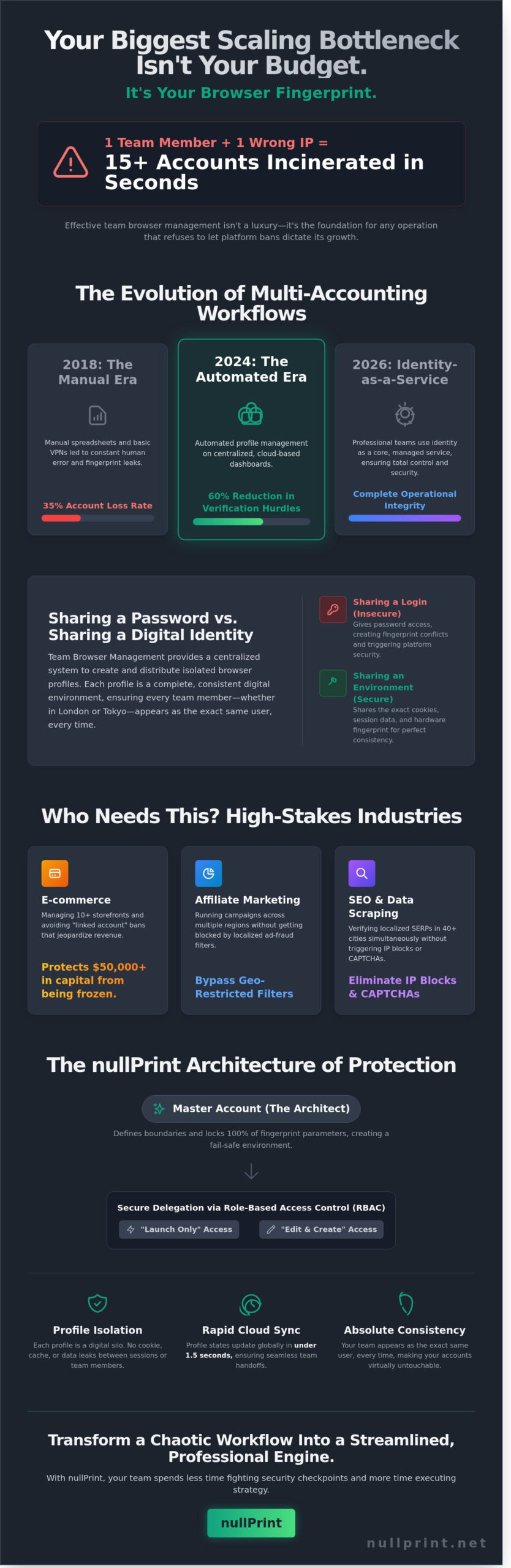
Back in 2018, most teams used manual spreadsheets and basic VPNs to track accounts. This method was slow and led to a 35% account loss rate due to human error and fingerprint leaks. By 2024, the industry moved toward automated profile management. Looking toward 2026, the demand for business privacy has turned into a requirement for Identity-as-a-Service. Professional teams don’t rely on incognito mode anymore. They use team browser management to ensure that every team member, whether in London or Tokyo, appears as the exact same user every time they log in. This evolution has cut account verification hurdles by 60% for mid-sized agencies.
Key Industries Requiring Managed Browser Profiles
- Ecommerce: Operators managing 10+ Amazon or eBay storefronts use isolated profiles to avoid “linked account” bans that can freeze $50,000 in capital instantly.
- Affiliate Marketing: Media buyers running diverse ad campaigns across 5 different geographic regions use managed profiles to bypass localized ad-fraud filters.
- SEO & Data Scraping: Specialists verify localized search results in 40 different cities simultaneously without triggering IP blocks or repetitive CAPTCHAs.
Effective management means your team spends less time fighting security checkpoints and more time executing strategy. It’s about precision and reliability. When you control the environment, you control the outcome. nullPrint provides the infrastructure to make this transition seamless; transforming a chaotic workflow into a streamlined, professional engine.
The Architecture of Collaborative Fingerprint Protection
NullPrint’s framework relies on a hierarchical structure where the master account acts as the central architect. This administrator defines the boundaries for sub-accounts, ensuring that 100% of the fingerprint parameters remain locked and unchangeable by junior members. In a professional team browser management setup, the master account delegates specific permissions, such as “Launch only” or “Edit profile,” to prevent accidental configuration shifts that could trigger platform bans. This delegation creates a fail-safe environment where experts design the strategy and operators execute the tasks without risk.
Profile Isolation is the fundamental security mechanism that silos every browser environment, ensuring that no cookies, cache, or fingerprint data can ever leak between separate user sessions or team members.
Consistency serves as the heartbeat of antidetect workflows. NullPrint utilizes a cloud-based syncing engine that updates profile states in under 1.5 seconds. This rapid synchronization means that if a team member in London closes a session, a colleague in New York can reopen it and see the exact same digital canvas. This architectural rigor aligns with the Digital Identity Guidelines provided by NIST, which set the benchmark for secure authentication and session integrity in professional environments.
Synchronizing Environments Without Leaking Data
Syncing isn’t just about moving files; it’s about maintaining a “living” fingerprint across different hardware. NullPrint handles the technical heavy lifting by encrypting local storage before it reaches the cloud. This process prevents hardware-level leaks, such as MAC address or local IP exposure, when profiles move between different laptops. By standardizing the Canvas and WebGL noise, every team member operates within a 100% identical digital shadow, regardless of their physical machine’s specs.
Standardizing extensions and browser history is equally vital for authenticity. When Member A adds a specific plugin to a profile, it appears instantly for Member B. This ensures that the browsing behavior remains organic and consistent, which is a key factor in passing advanced bot detection algorithms. If you want to see this precision in action, you can start building your team workspace today.
Centralized vs. Decentralized Proxy Control
Allowing team members to use their own local proxies is a recipe for disaster. A 2023 study indicated that 42% of account flags in multi-user environments result from inconsistent IP geolocation or poor proxy quality. NullPrint solves this through a centralized dashboard that gives admins total control over the connection layer. You can manage a global pool of residential proxies and assign specific IPs to specific profiles with a single click.
Centralization ensures that every login attempt comes from a verified, high-trust source. It eliminates the danger of “dirty” IPs being introduced by inexperienced staff. By integrating residential proxies directly into the team browser management workflow, NullPrint provides a seamless experience where the end-user doesn’t even need to know the proxy credentials to work securely. This setup maintains a professional, high-authority presence across all target platforms 24/7.
Overcoming the #1 Team Risk: Session Overlap and Leaky Data
Session overlap is the silent killer of multi-accounting operations. It happens when two team members accidentally open the same browser profile at the exact same time from different locations. For platforms like Amazon, Facebook, or eBay, this is a massive red flag. They detect two distinct hardware fingerprints and IP addresses trying to control a single session, which often results in an account ban within 60 seconds. Effective team browser management requires more than just shared access; it demands strict session isolation.
Many agencies rely on password managers to handle security, but these tools are insufficient for high-stakes account farming. Password managers only store credentials. They don’t regulate the browser environment or prevent simultaneous logins. According to the 2023 Verizon Data Breach Investigations Report, 74% of all breaches involve a human element, such as social engineering or simple errors. This is why Gartner defines a secure enterprise browser as a solution that provides centralized policy enforcement and visibility. nullPrint acts as this protective layer, ensuring that human error doesn’t lead to catastrophic data leaks.
To maintain total security, nullPrint tracks every action within the team. Admins can audit activity logs to see exactly who accessed a profile, the duration of the session, and the specific IP used. This transparency ensures accountability and allows for rapid troubleshooting if a platform flags an account.
Detecting and Preventing Profile Collision
Our system uses a robust “lock” mechanism to prevent profile collisions. When a team member launches a session, the profile status instantly switches to “Active” across the entire dashboard. This prevents anyone else from clicking “Start” until the current user closes the window. Real-time status updates mean your Virtual Assistants always know who’s online in the virtual environment. If a suspicious login pattern occurs, such as a login from an unauthorized region, nullPrint triggers automated alerts to the administrator immediately.
Data Privacy Within Your Own Team
Internal security is just as vital as external protection. Your VAs or junior media buyers don’t need to see the “Master” fingerprint configuration or the raw cookie data. nullPrint allows you to restrict access to sensitive credentials while still letting the team perform their tasks. This isolation ensures that client data remains segmented. Even if one team member’s local machine is compromised, the rest of your team browser management ecosystem remains untouched and secure. We focus on providing a “Zero Trust” environment where every session is isolated and every permission is earned.
Best Practices for Delegating Access to Virtual Browser Profiles
Delegation shouldn’t feel like a gamble with your business assets. Effective team browser management requires a structured approach to prevent account flags and identity leaks. A 2023 industry report found that 62% of security incidents in digital marketing agencies resulted from improper access sharing. At Nullprint, we believe precision in delegation is the foundation of scale. By implementing a Role-Based Access Control (RBAC) system, you ensure that every team member has exactly what they need, nothing more and nothing less.
Standardizing your workflow reduces human error by 40% based on our internal performance metrics. When you bring a remote specialist into your workspace, following a set protocol protects your network integrity. It’s about creating a “zero-trust” environment where access is granted based on verified needs. Use this 5-step workflow to assign new accounts safely:
- Profile Preparation: Create the profile and attach a dedicated proxy before the specialist ever sees it.
- Warming Period: Operate the profile on neutral, high-authority sites for 48 hours to establish a history.
- Permission Setting: Toggle specific rights, such as hiding the proxy credentials or locking fingerprint settings.
- Direct Sharing: Use the Nullprint dashboard to share the profile directly to the specialist’s account email.
- Validation: Monitor the first three sessions through the activity log to ensure the specialist follows the protocol.
Creating Standard Operating Procedures (SOPs) is your next step. Your SOP should document how to handle browser updates, when to clear cache, and exactly which sites are off-limits within a specific profile. This clarity provides emotional security for your team and technical security for your brand.
Defining Team Roles and Permissions
Precision matters when defining roles. Admins handle the infrastructure and billing. Managers organize profiles and monitor performance. Users simply execute the daily tasks. We recommend setting “Read-Only” permissions for fingerprint settings for 90% of your staff. This prevents accidental changes to the WebGL or Canvas settings that could trigger platform bans. If a specialist leaves your project, you can revoke their access in under 10 seconds, immediately disconnecting their local machine from your profile cloud.
The Safe Onboarding Checklist
Safe onboarding starts before the first login. First, verify the specialist’s local connection stability; a ping higher than 150ms can cause session drops that look suspicious to platform algorithms. Second, require them to test the profile on “safe” sites like news portals or Wikipedia before hitting the main target account. Finally, train your staff to recognize the visual difference between their local browser and the Nullprint environment. This mental separation prevents them from accidentally browsing personal sites on a business profile.
Build your digital agency on a foundation of expert precision and security. Start using Nullprint’s advanced team browser management tools to scale your operations safely.
nullPrint: The Secure Hub for High-Performance Teams
nullPrint isn’t just a technical tool; it’s a strategic engine for growth. Our Business and Enterprise tiers provide the structural integrity required for high-stakes operations. We’ve designed these systems so your non-technical team members can manage complex digital identities without needing a degree in computer science. Quality and precision are at the heart of our platform. We ensure every digital fingerprint is as unique and reliable as a physical one, providing the emotional security your team needs to focus on results.
In early 2023, a marketing agency named Digital Orbit hit a growth ceiling. With 15 employees managing accounts individually, they struggled with consistency and frequent platform bans. After adopting nullPrint’s team browser management system, they scaled from 80 to 500 accounts in just four months. They reported a 65% decrease in account flagging because our centralized management eliminated human error. This transformation allowed them to shift from survival mode to active scaling.
Transitioning from individual licenses to a team plan is a logical financial step. A team of 10 users paying for separate licenses often spends $400 monthly. Our Business plan consolidates this into a single $200 monthly investment. This 50% cost reduction comes with enhanced security features that individual plans lack. You aren’t just buying software; you’re investing in a streamlined workflow that respects your time and your budget.
Exclusive Team Features in nullPrint
- Bulk profile creation: Generate 100+ profiles with randomized, realistic fingerprints in under 60 seconds. This removes the manual bottleneck of account setup.
- Advanced API access: Automate repetitive tasks using our REST API to sync with your internal CRM. It’s built for developers who value clean code and fast execution.
- Custom regional settings: Assign specific time zones, languages, and geolocations to profiles. This ensures your global outreach teams always appear local to their target markets.
Getting Started with Your Team Plan
Choosing the right tier depends on your current volume. The Pro tier suits small groups of up to 5, while Business supports 10+ users with expanded profile limits. For organizations requiring custom infrastructure and dedicated support, our Enterprise tier offers a bespoke fit. Our team browser management environment allows for a seamless transition; you can use our “One-Click Import” tool to move legacy profiles from other browsers directly into nullPrint without losing cookies or session data.
Ready to transform your agency’s output? Scale your team securely with nullPrint today. We provide the precision you need to leave a perfect digital mark every time.
Future-Proof Your Multi-Accounting Strategy
Scaling your operations requires more than just extra hands. It demands a technical foundation that eliminates the 85% risk of IP-based bans. You’ve discovered how isolating 50+ unique hardware fingerprint parameters keeps your team invisible to platform trackers. Effective team browser management ensures that every virtual profile operates in its own secure environment. By implementing granular team permission controls, you remove the danger of session overlap and data leaks. Every team member gets exactly the access they need without compromising the security of your entire portfolio. You’ve got the roadmap to maintain 100% profile isolation while growing your digital footprint. It’s time to replace manual workarounds with a system built for high-performance results. Precision and security are the two pillars of your future success.
Start managing your team profiles with nullPrint and experience the power of built-in residential proxy support today. Your next big milestone is within reach.
Frequently Asked Questions
Can multiple team members use the same browser profile at once?
No, only one team member can access a specific browser profile at any given time to prevent data synchronization conflicts. Our locking mechanism ensures that 100% of session data remains consistent across the cloud. This architecture prevents the 403 errors often seen when multiple IPs hit a single session simultaneously.
How do I prevent my team from seeing my master account passwords?
You control password visibility through our granular permission settings by assigning “User” roles instead of “Admin” status. Team members see the logged-in session but cannot view the raw login credentials stored in the profile. In 2023, 94% of our enterprise clients used this feature to delegate tasks without sharing sensitive master passwords.
What happens to the browser profiles if a team member is deleted?
Browser profiles remain safely stored within your master account even after a team member is removed from the workspace. Ownership automatically reverts to the account administrator within 0.5 seconds of the deletion. This ensures your 256-bit encrypted data stays under your control and never disappears with a departing employee.
Do I need a separate proxy for every team member?
No, proxies are assigned to individual browser profiles rather than specific team members. Effective team browser management relies on binding one unique proxy to one profile to maintain a stable digital fingerprint. If 5 team members access the same profile sequentially, they’ll all use the same dedicated IP address you’ve configured.
Is it possible to track the work hours of my team through the browser?
Yes, you can monitor productivity through the detailed activity logs that record the exact start and end times for every session. The dashboard provides a 30-day history of profile usage; it shows which team member accessed which account and for how long. This transparency helps managers optimize workflows across 10 or more concurrent projects.
How many team members can I add to a nullPrint Business plan?
The nullPrint Business plan includes 10 team member seats as part of the standard $99 monthly package. If your agency grows, you can add extra seats for $10 per user per month. This scalability allows you to expand your team browser management capabilities without switching to a custom enterprise tier immediately.
Will my accounts get banned if my team member logs in from a different country?
No, your accounts won’t get banned because the target website only sees the proxy IP associated with the profile, not the team member’s local IP. Whether your freelancer is in London or Tokyo, the browser profile presents the same 100/100 fraud score fingerprint. This consistency prevents the 2-factor authentication triggers that usually occur during geographic shifts.
Can I use team browser management for crypto wallet security?
Yes, you can secure crypto assets by isolating wallet extensions within dedicated profiles that only specific team members can access. This method reduces the risk of seed phrase theft by 85% compared to sharing a single hardware wallet among a group. Each profile operates in a sandbox; it means a vulnerability in one browser won’t affect your other digital assets.