
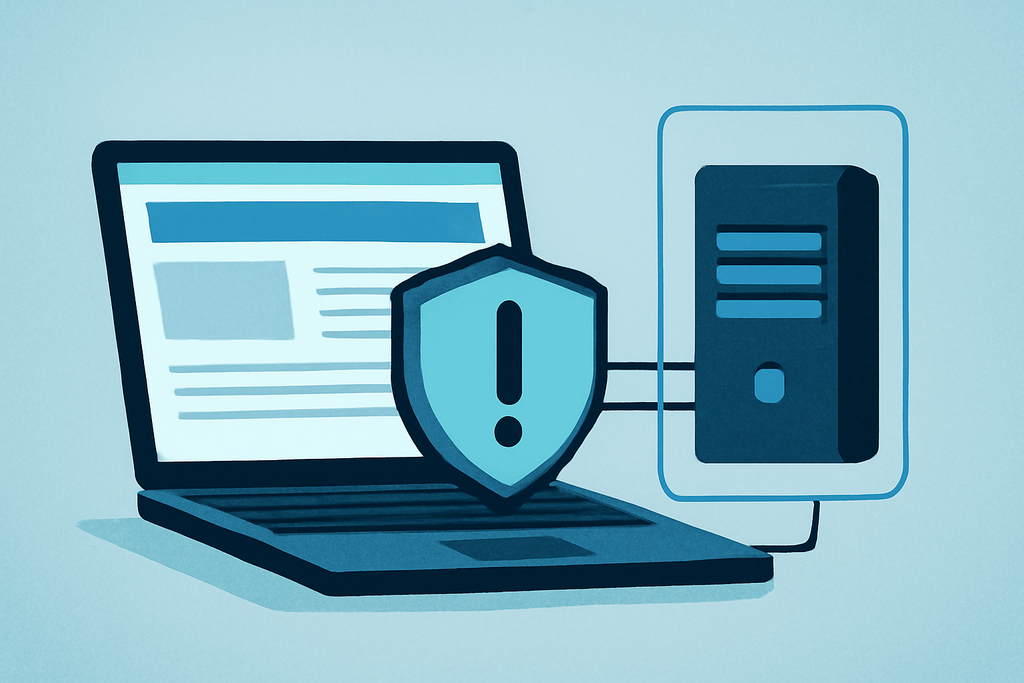
Free web proxies are often sold as a quick answer to blocked websites and online privacy. That promise is misleading. A proxy can hide your IP address from a website, but the operator may still see your traffic, inject advertisements, record requests, or simply provide a broken connection.
My position is simple: use free web proxies only for low-stakes, disposable browsing. Never trust one with email, banking, shopping, work files, or an account you would hate to lose.
Free web proxies are a weak privacy tool
A web proxy sits between your browser and a destination site. Instead of the site seeing your home IP address, it sees the proxy’s address. That is useful for checking a public page from another network location.
But the proxy operator becomes an extra party in the connection. If you visit example.com through a proxy form, the operator may observe the destination, timing, browser details, and sometimes the content itself, depending on encryption and how the service handles traffic.
That trade rarely makes sense for sensitive browsing. A free operator has little commercial reason to provide expensive infrastructure without collecting advertising value, usage data, or both.
What a browser proxy changes—and what it leaves exposed
Most free web proxies work through a browser page: you enter a URL, and the service fetches it for you. This differs from configuring a system-wide proxy in Windows, macOS, Android, or a browser extension.
The distinction matters. A website may see the proxy IP, while your other applications continue using your normal connection. DNS requests, browser fingerprints, cookies, and logged-in sessions can still identify you.
HTTPS helps, but it does not make the proxy trustworthy. When the address begins with HTTPS, the connection between your browser and the proxy is encrypted; the proxy may still know which site you requested and can receive traffic after forwarding it to the destination.
Why “free” often means unreliable or intrusive
Free services frequently impose limits that appear only after use. A proxy may strip JavaScript, block file uploads, break video playback, cap page size, or fail when a site uses modern bot protection such as Cloudflare’s challenge pages.
Speed is another practical problem. A proxy serving users from a small pool of overloaded servers can turn a normal page into a 30-second wait. That encourages repeated reloads, which creates more requests and more opportunities for tracking.
Some services also modify pages. Advertising injection, forced redirects, fake download buttons, and browser-notification prompts are not theoretical annoyances; they are reasons to close the tab immediately.
Never install a certificate, browser extension, executable, or “helper” application merely because a proxy site requests it. A browser proxy that needs software with administrator access has crossed from convenience into unacceptable exposure.
Run these safety checks before using one
Check the connection and the destination
Confirm that the proxy page itself uses HTTPS, but do not stop at the padlock. Check whether the destination also stays on HTTPS, especially before entering any information. If a login page downgrades to HTTP, leave.
Test with a public page first, not Gmail, Microsoft 365, PayPal, or a company dashboard. A service that cannot load a harmless page cleanly has earned no access to anything important.
Read the service’s behavior, not its marketing
Look for a dated privacy policy naming the operating company, retention period, and abuse contact. Claims such as “100% anonymous” are marketing, not a technical guarantee.
Search the service name with terms such as “redirect,” “malware,” and “data leak.” Do not treat one anonymous review as proof, but repeated reports about injected ads or credential theft should end the experiment.
Keep your session disposable
Use a separate browser profile with no saved passwords, payment cards, extensions, or active sessions. Afterward, close the profile and remove its cookies and site data.
Do not paste a username and password into a page reached through a free proxy. Even when the destination uses HTTPS, the proxy can still expose metadata, and a fake login page can collect the credentials directly.
What free web proxies cannot reliably do
They do not make you anonymous. Websites can combine IP data with cookies, account identifiers, browser characteristics, language settings, and screen dimensions. Signing into the same account through a proxy usually identifies you immediately.
They also do not protect every application on your device. A browser-page proxy does nothing for a desktop email client, a mobile app, or a background process connecting outside the browser.
Nor should you expect dependable access to streaming services. Netflix, BBC iPlayer, and similar platforms routinely block known proxy addresses, and a free service may expose a rotating address that stops working within minutes.
Choose a safer tool for the actual job
If you need privacy on public Wi-Fi, use a reputable VPN with a clear ownership structure and independently assessed policies. A VPN still requires trust, but it generally covers device traffic more consistently than a web form.
If you need remote access to a home or work network, use an approved system such as WireGuard or your organization’s official VPN. A free public proxy is the wrong tool for internal documents, administrative panels, and company credentials.
If you only need to view a public page from another IP address, a free proxy can be reasonable. Keep the task read-only, avoid downloads, and assume the operator can record the visit.
For research that requires anonymity, consult your organization’s security team or a specialist service. A random proxy list is not an anonymity plan.
Use a hard stop rule
Before opening a free web proxy, classify the task. Public article lookup is low risk; entering a password, uploading a document, downloading software, or handling payment information is high risk.
For low-risk browsing, use a clean browser profile, verify HTTPS, refuse extensions and certificates, and leave at the first redirect or suspicious prompt. For everything else, choose a trusted, purpose-built connection instead.
The popular belief that any proxy is better than no proxy gets this backward. A proxy can hide your address from one website while adding an unknown observer to the connection. That is a poor bargain when the page contains anything worth protecting.